How to Clean a Keyboard Safely? (Without Damaging It)
In a modern professional environment, the keyboard is one of the most frequently touched surfaces, yet it is often the most neglected during routine tidying. Because keyboards are sensitive electronic devices, cleaning them requires a balance between thorough disinfection and delicate handling. Whether you are maintaining a home office or managing corporate hardware, following the correct protocol is essential to prevent equipment failure.
Quick Answer: Safest Way to Clean a Keyboard
The safest method involves disconnecting the device, removing loose debris with compressed air, and lightly wiping the surfaces with a microfiber cloth dampened—never soaked—with 70% isopropyl alcohol. This ensures that you kill germs and remove oils without allowing moisture to seep into the internal circuitry.
What You’ll Need
Before starting, gather the following professional-grade supplies:
Compressed Air
A can of compressed air (gas duster) is the most effective tool for dislodging crumbs, dust, and hair trapped beneath the keycaps without requiring physical contact with sensitive components.
Microfiber Cloth
Avoid paper towels or napkins, which can leave behind lint or scratch the plastic. A high-quality microfiber cloth traps dust and absorbs oils effectively while remaining gentle on the key textures.
Isopropyl Alcohol (70%+)
Standard 70% isopropyl alcohol is the industry standard for electronics. It evaporates quickly and is highly effective at breaking down skin oils and killing bacteria. Do not use bleach or acetone, as these can melt plastic or erase key lettering.
Step-by-Step: Cleaning a Computer Keyboard
Turn Off and Unplug
Safety first. Always shut down your computer and unplug the keyboard. If you are using a wireless keyboard, remove the batteries. This prevents electrical shorts and accidental keystrokes that could disrupt your work.
Shake Debris Out
Hold the keyboard upside down over a trash bin and give it several gentle taps on the back. You will be surprised at how much loose debris falls out simply by using gravity.
Use Compressed Air
While holding the keyboard at a 75-degree angle, spray the compressed air in short bursts along the rows of keys. Move from one side to the other to ensure dust is pushed out rather than further in.
Wipe Keys with Alcohol
Apply a small amount of isopropyl alcohol to your microfiber cloth. The cloth should feel slightly damp, not wet. Wipe the surface of each key individually. For stubborn grime or “shiny” keys caused by oil buildup, use a bit more pressure.
Deep Clean Between Keys
For the narrow crevices between keys, use a cotton swab lightly dipped in alcohol. This allows you to reach the sides of the keys where grime often accumulates.
Can You Use Disinfecting Wipes on a Keyboard?
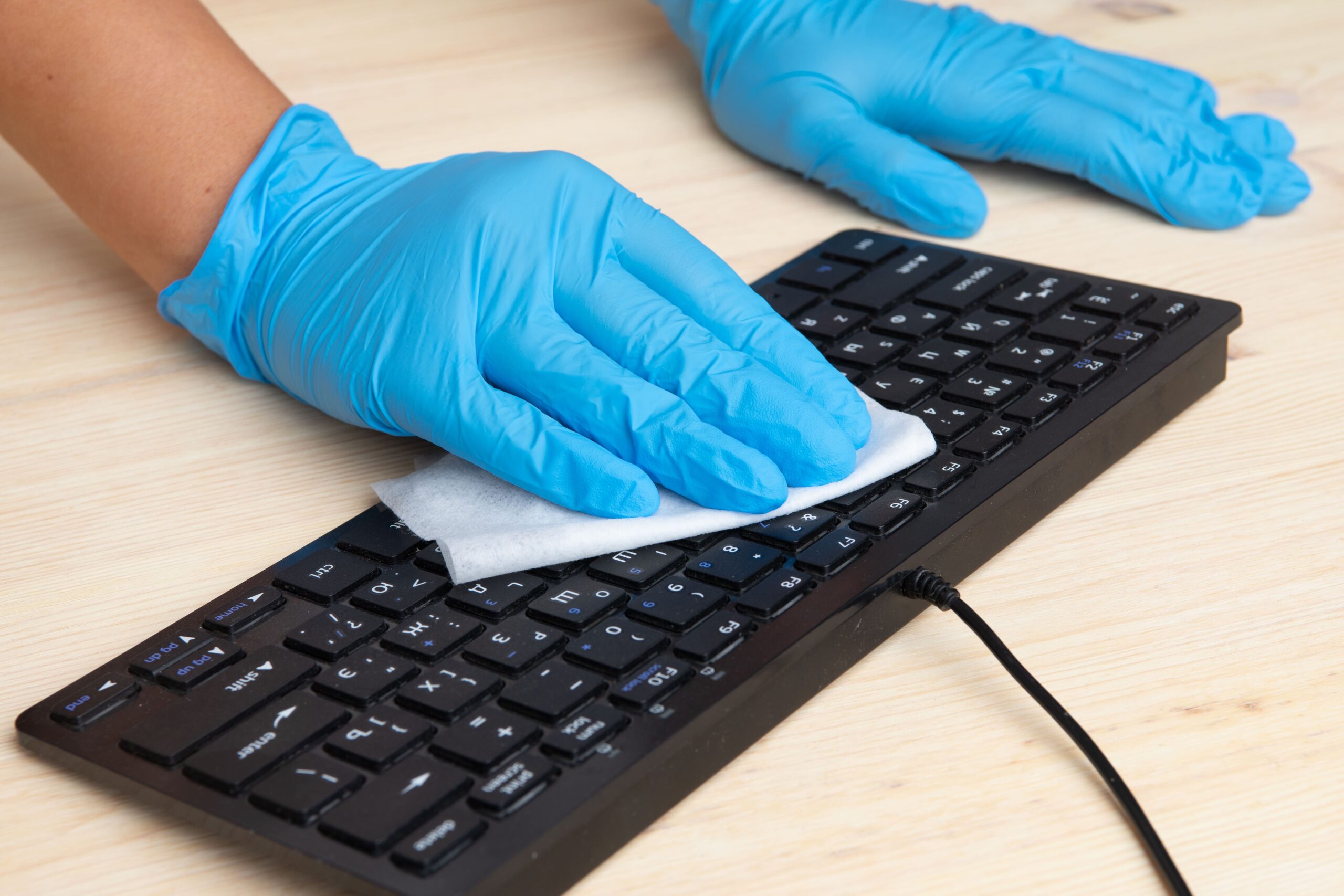
Yes, most standard disinfecting wipes (like Clorox or Lysol) are safe for keyboards, provided they do not contain bleach. However, the same rule applies: the wipe must not be dripping wet. Squeeze any excess liquid out of the wipe before touching the keys to prevent moisture from entering the switches.
Common Mistakes to Avoid
Spraying Liquid Directly
Never spray cleaning solution, water, or alcohol directly onto the keyboard. The liquid will settle into the gaps, causing corrosion or short-circuiting the membrane or mechanical switches.
Using Too Much Moisture
Electronic components and liquids are natural enemies. Even if you are using alcohol, which evaporates quickly, an excessive amount can sit in the “wells” of the keys and damage the device’s responsiveness.
FAQs
How often should keyboards be cleaned?
For a personal keyboard, a light dusting once a week and a deep clean once a month is ideal. In shared office environments or during flu season, high-touch surfaces should be disinfected daily.
Can I remove the keys?
If you have a mechanical keyboard, the keys are usually designed to be removed with a keycap puller for deep cleaning. However, for most standard “membrane” keyboards and laptops, removing keys can break the fragile plastic clips. Always check the manufacturer’s manual first.
How do I clean a laptop keyboard?
Follow the same steps, but exercise even more caution. Since the keyboard sits directly above the motherboard and battery, moisture control is critical. Use only a slightly damp cloth and never use a vacuum cleaner, as static electricity can damage internal laptop components.
Office Cleaning Services in Massachusetts
Maintaining a hygienic workplace goes beyond just cleaning keyboards. A truly healthy office requires professional attention to floors, air quality, and common areas. At Jama Cleaning, we provide top-tier commercial cleaning services across Massachusetts, ensuring your team stays healthy and your equipment remains in top condition.
Click here to get a customized Office Cleaning Quote and keep your Massachusetts business spotless!